Running LLMs Locally – What matters ?
More people are moving their AI off the cloud and onto their own machines — for privacy, for cost, or just to stop paying a subscription for something they can run themselves. The catch: most people buy the wrong hardware first.
Here’s the whole picture in three minutes — what running a model locally actually asks of your machine, and how to decide between the two specs everyone argues about: RAM and GPU.
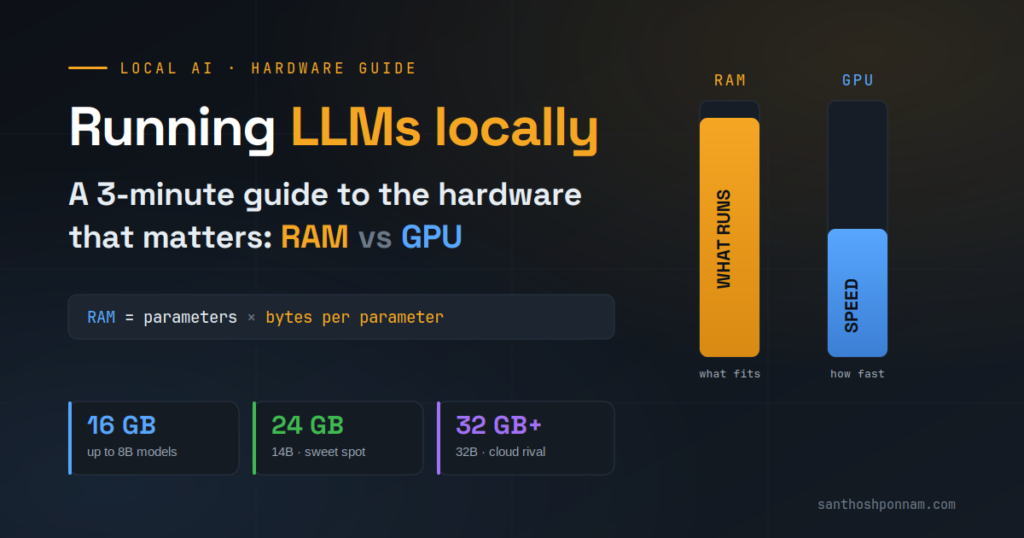
What “running a model locally” really means
A large language model is just an enormous pile of numbers called parameters — billions of them. To run one, your computer has to load all of those numbers into memory and then do math on them, fast, every time you type a prompt.
That single fact explains everything about local hardware. Two questions decide your experience:
- Can the model fit? — Do you have enough memory to hold it at all?
- Does it respond quickly? — Can your chip do the math fast enough to feel usable?
The first question is about memory. The second is about compute (the GPU). Get the order of those wrong and you’ll either overspend or end up with a machine that can’t load the model you wanted.
The formula that sizes any model
Memory need comes down to two things: how many parameters, and how much space each one takes.
RAM needed = number of parameters × storage per parameter
Full-quality models store each parameter in 4 bytes. But most people run quantized models — compressed versions that use just 0.5 bytes per parameter at 4-bit, with barely any quality loss for everyday work. That’s eight times smaller.
So a 7-billion-parameter model at 4-bit needs about 3.5 GB for its weights. Add 20–30% for the operating system and working memory, and the honest figure is closer to 4.5 GB. Every model scales the same way — just plug in the parameter count.
RAM or GPU — where should your money go?
This is the decision that trips people up. They walk in asking about the graphics chip and core count. Those matter — but not first.
- RAM decides what you can run. It sets the largest model you can load at all. Run out and the model simply won’t start — there’s no workaround. On Apple Silicon it’s soldered to the chip, so you choose it once and live with it.
- GPU decides how fast it runs. It sets how quickly a model that already fits responds. A slower chip just means waiting a little longer for each answer.
The rule that follows: buy RAM to decide what you can run, buy GPU to decide how fast it runs — and fit comes first. A fast chip can’t run a model that won’t fit, but a modest chip will happily run one that does. Prioritise memory until the models you care about load comfortably, then spend on compute for speed.
How much do you actually need?
| RAM | Model size | Best for |
|---|---|---|
| 16 GB | Up to 8B | Coding, writing, everyday tasks. Qwen3 8B and DeepSeek R1 Distill are strong picks. |
| 24 GB | Up to 14B | Noticeably better reasoning and coding — the developer sweet spot. |
| 32 GB+ | Up to 32B | Where local AI starts to feel like a real cloud alternative. |
If you’re buying a machine specifically for AI work, aim for the 32 GB tier or higher. That’s where you stop compromising and start replacing cloud tools for real.
The one rule that never changes
Buy as much RAM as you can afford. On Apple Silicon you can’t add more later — the number at checkout is the ceiling for the life of the machine. Storage can be offloaded to an external drive, and a slower chip only costs you a few seconds per response. But memory is the one decision with no second chance.
The bottom line
Running LLMs locally isn’t complicated once you know what the hardware is actually doing. Memory decides what you can run; the GPU decides how fast. Size your memory with the formula, prioritise it over raw compute, and buy as much as your budget allows.
Do that, and you’ll never be the person whose new machine can’t load the model they bought it for.